How do I change my handle?
First, we need your unique ID! Can't do anything without that.
Let's go to your https://bsky.app/settings/account
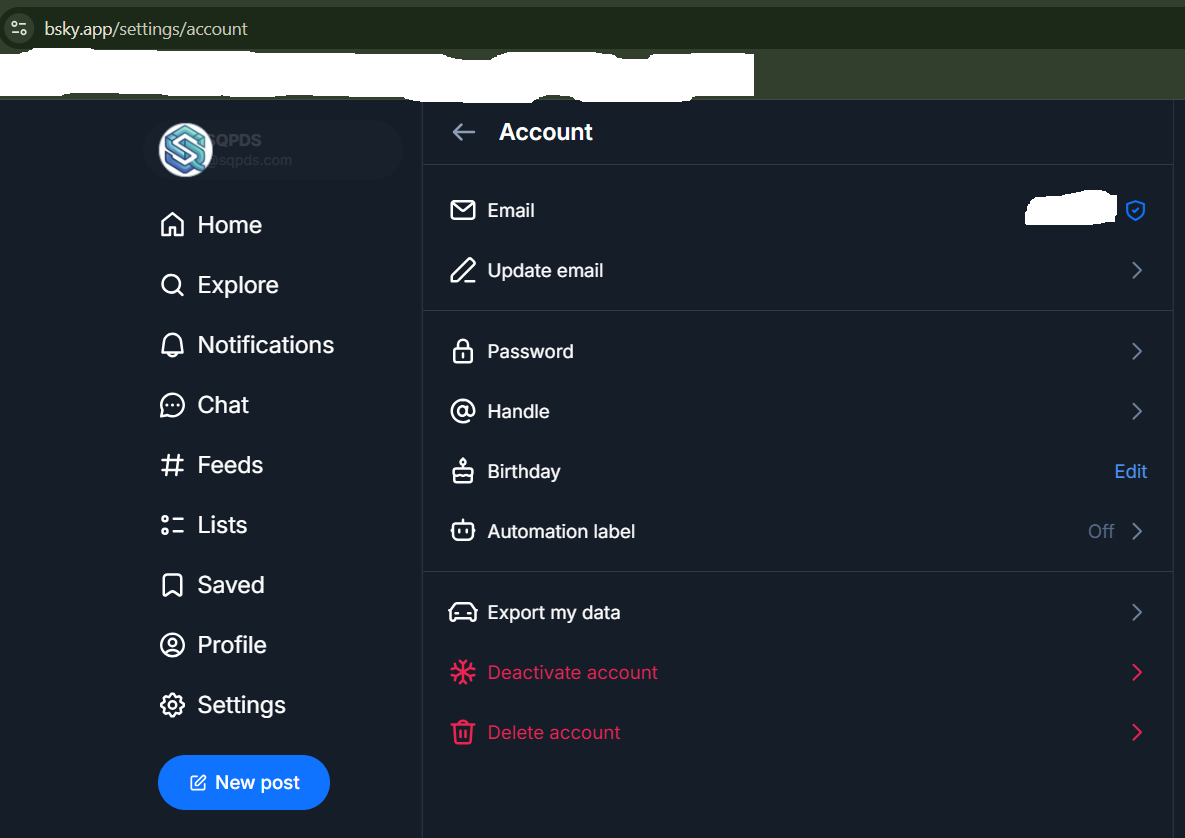
Click on your @ Handle
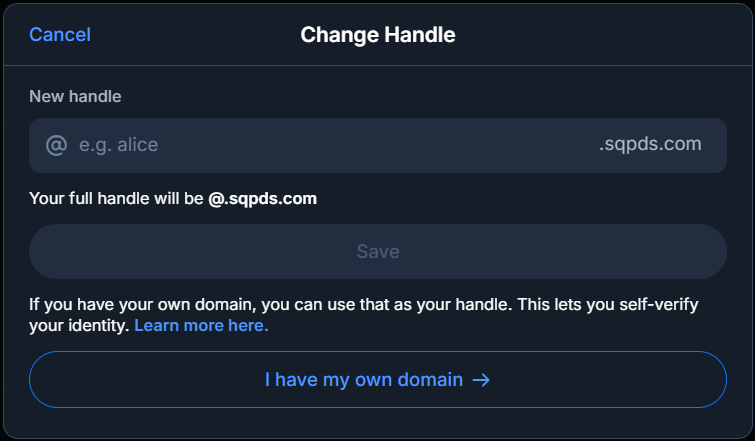
We need to click the "I have my own domain ->"
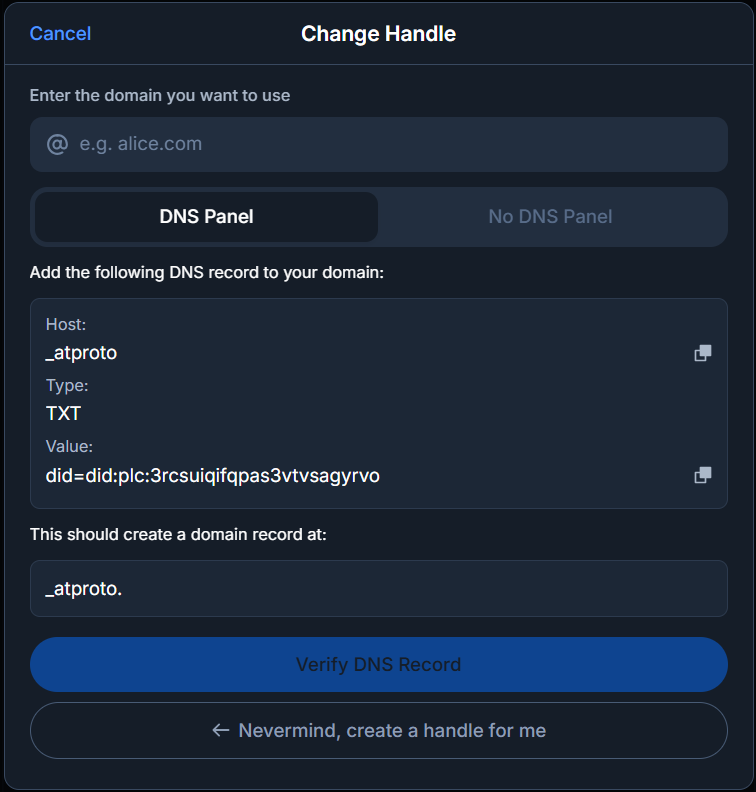
Then we click "No DNS Panel"
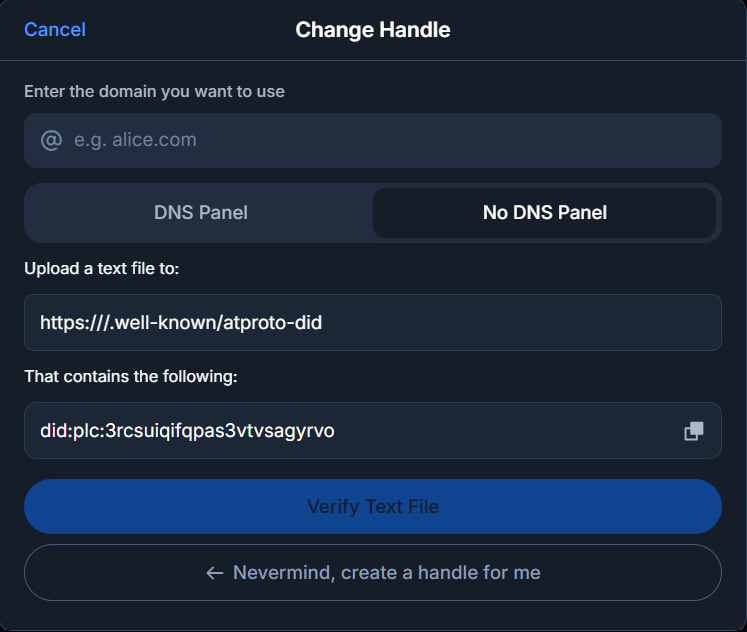
That's what we're looking for! did:plc:string of random characters.
Click the Copy Button!
When you've found your new Handle, Click "Claim" and a modal pop's up and you want to paste your existing DID inside that box!
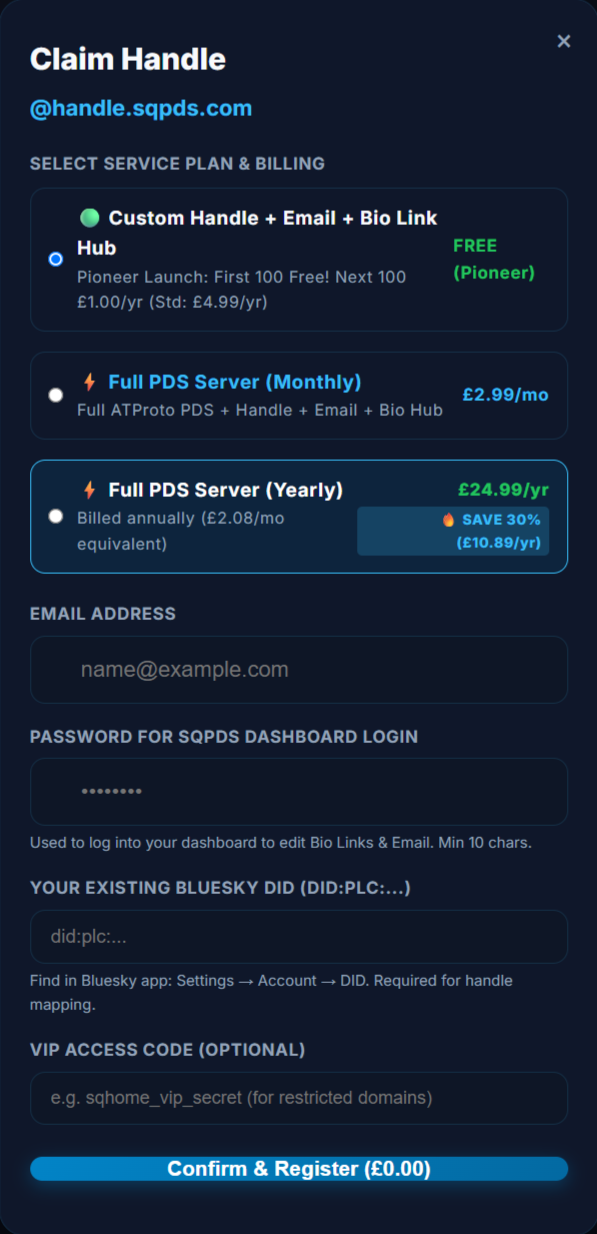
Confirm and Register will then create your handle on our database and immediately it's ready to be used.
You don't wait for DNS, it's Instant!
Bluesky will reach out to sqpds.com and query...
"https://demo.sqpds.com/.well-known/atproto-did"
It will fire back your DID: which confirms that it's your handle. Your DID Matches your account and your handle updates to something unqiue!
Ofcourse, this is a brand new service, I've fixed many bugs but, I'm sure their maybe a few more floating around. Please report any to my email admin@sqpds.com
If you are hosting your own PDS Server with your data. This method will only work if your PDS Server is reachable.
Timestamps are always helpful in Bug Reports!